01Install Steam

Download and install the client from the Steam website, then create an account.
New to HavFun? We'll walk you through everything from installing Steam to playing games, quickly and easily.
Download and install the client from the Steam website, then create an account.

Search for HavFun in the Steam store, or use the store page button.

Click 'Play Game' on the store page to add it to your library and install it.

Launch the game and sign in with your HavFun account to save your progress.

Pick a game and start playing right now!

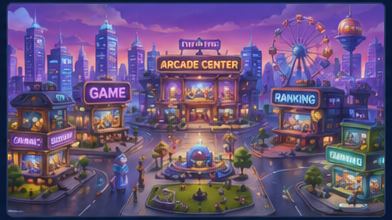
Pick the game you want from Home, Games, or the Arcade Center.

Once in the game, a tutorial walks you through the basic rules.

Play strategically within the rules and aim for a high score.

Earn points and a variety of in-game items as you play. Rewards are virtual and have no cash value.
Enjoy a smoother experience on PC, optimized for mouse and keyboard!
Before spinning, set how many Blue Hearts to bet.
Press the SPIN button to spin the reels and wait for the symbols to line up.
When you land a winning line, virtual rewards are added automatically based on the payout.
Don't miss bonus chances like free spins and jackpots — make the most of them.
Spin games are available in the Arcade Center. Good luck!
Card combinations and win conditions vary by game, so check the rules first.
Place your bet, receive your cards, and calmly size up your hand.
Work out the odds and make the best choice for the situation.
When the round ends, virtual Heart rewards are added based on the result.
In card games, a cool head improves your odds. Take your time and enjoy!
Pick a spot on the table and bet your Hearts.
Once betting closes, the system plays out the round and determines the result.
After the result is announced, virtual rewards are added automatically based on the odds.
Every round of a table game is a new chance! Try out different bets.
All Arcade Center games are for entertainment only and are intended for adults of legal gambling age. Blue Hearts, Hearts, chips and other rewards are virtual: they have no cash value and cannot be exchanged, transferred or redeemed for real money or prizes. Practice or success at social casino gaming does not imply future success at real-money gambling.
HavFun is available on Steam. Search for HavFun in the Steam store, or use the 'Download on Steam' button on this site to go straight to the store page.
No. HavFun does not offer real-money gambling or an opportunity to win real money or prizes of real-world value. HavFun contains in-game purchases, but virtual chips and items have no cash value and cannot be exchanged, transferred or redeemed.
No. HavFun is not available in the State of Washington. It is not offered on Steam there, and access to the game servers from Washington is blocked.
Your progress is safely saved to your account. Even if you switch devices, just sign in to pick up where you left off.
Update your graphics driver to the latest version and restart Steam. If the problem persists, right-click HavFun in your Steam library → Properties → run 'Verify integrity of game files'.